

AI-powered online service for global customers

One workspace to serve every customer

From AI answers and multilingual translation to omnichannel messaging and team collaboration, OrchLink keeps pre-sales, support and after-sales conversations moving in one workspace.

Book a demo
  • 24/7 AI-powered answers
  • Real-time translation across 200+ languages
  • Web, app and social channels in one inbox
  • Multi-agent collaboration with full context

Always available · natural communication · one connected team

OrchLink workspace · AI-assisted service
Can your team help me set up the service today?
Live translation English → Chinese → AI response
Absolutely. We will first confirm your channels and team setup, then connect you with the right specialist. The full conversation will follow, so you will not need to repeat yourself.
01

Instant response

Routine questions skip the human queue

02

Always available

Across time zones and peak hours

03

Multilingual

Serve global customers in familiar languages

04

Human handoff

Full context moves with the conversation

Give time back to customers and teams

Less waiting. Less repetitive work.

OrchLink handles frequent questions, translates multilingual messages and keeps service consistent — helping customers get answers sooner while your team focuses on judgment, empathy and relationships.

1

Less waiting for customers

Common questions receive immediate AI assistance without waiting for an available agent.

2

Less repetition for teams

AI handles frequent questions while people focus on complex and high-value conversations.

3

More natural global service

Customers write in their language while your team works in the language they know best.

AI + human collaboration

Automate routine questions and hand off complex conversations

OrchLink handles repetitive customer questions while the service team focuses on complex requests and customer relationships

One customer-service workspace

AI handles the first response. Your team stays in control.

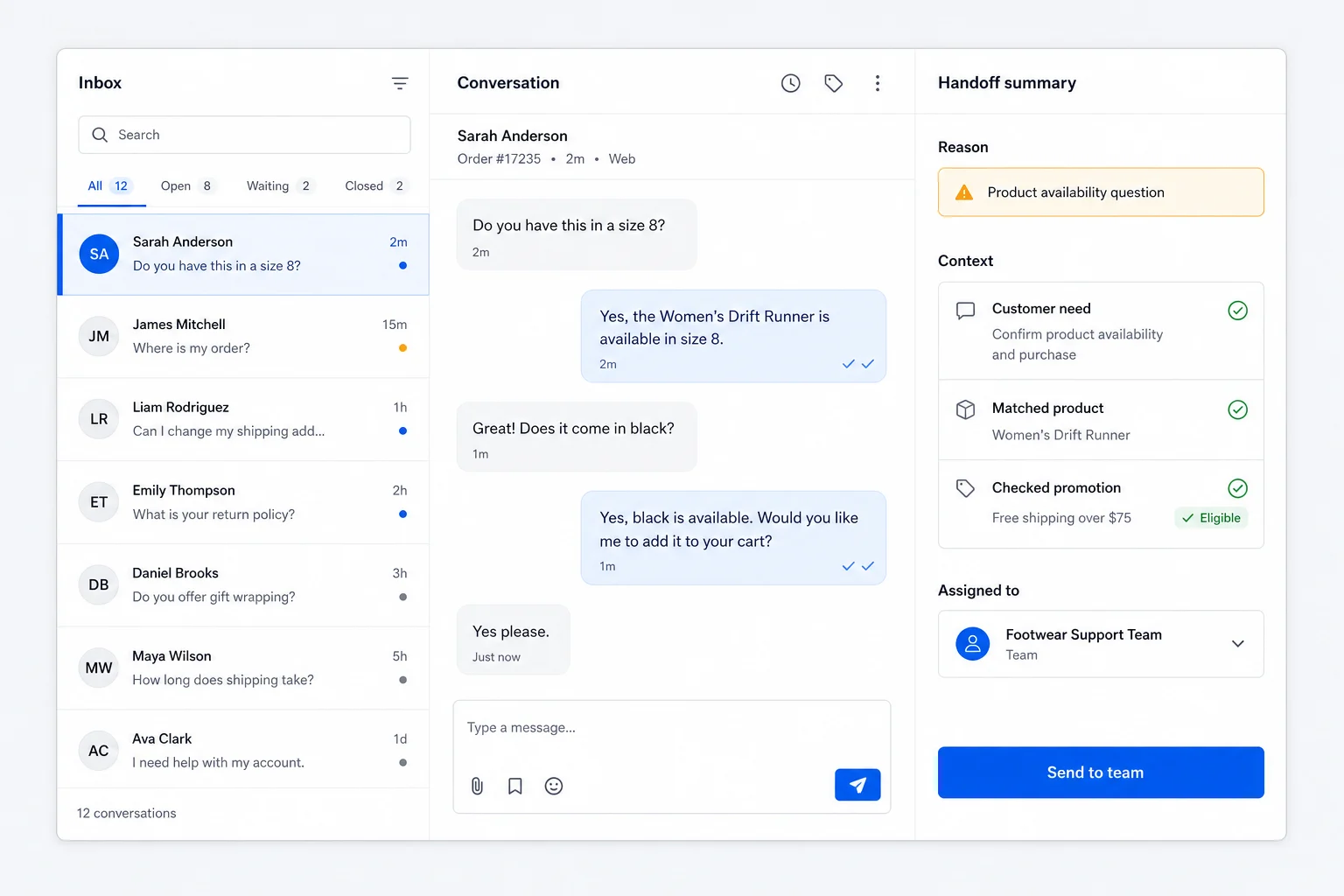
OrchLink detects language and intent, uses approved knowledge to respond, and passes the complete context to the right agent whenever human expertise is needed.

Customer message
Customer: Can I speak with someone about a custom plan?
Customer language detected
Service knowledge matched
Sales follow-up identified
AI-suggested reply Ready to send

Of course. I have captured your request and translated the conversation for our team. I will now connect you with the right sales specialist.

Transfer customer details, translations and the full conversation together

One workspace for the entire service journey

AI answers, multilingual translation, omnichannel messaging and team collaboration for every customer touchpoint

AI customer-service assistant

Powered by advanced language models, it understands intent and answers most frequent questions around the clock. It asks for missing context and hands complex requests to people.

AI conversation translation

Translate 200+ languages in real time and refine each message for its conversational context. Your team works in a familiar language while customers receive natural local responses.

Encrypted conversations

End-to-end encrypted transport protects customer conversations and supports stable global access. Advanced plans can add direct connectivity for mainland China.

Unified omnichannel inbox

Bring website widgets, mobile apps, standalone chat links and channels such as Telegram into one workspace instead of switching between platforms.

Team collaboration and handoff

Coordinate multiple agents, use internal conversations and transfer complex cases with full context so customers never need to repeat themselves.

Smart guidance and lead capture

Welcome messages, suggested questions and proactive invitations start useful conversations and guide interested customers to share contact details and requirements.

Enterprise extensibility and security

Integrate and deploy around the way your business works

From modular integration and OEM branding to private deployment and access controls, OrchLink fits into existing systems while keeping critical data within defined boundaries.

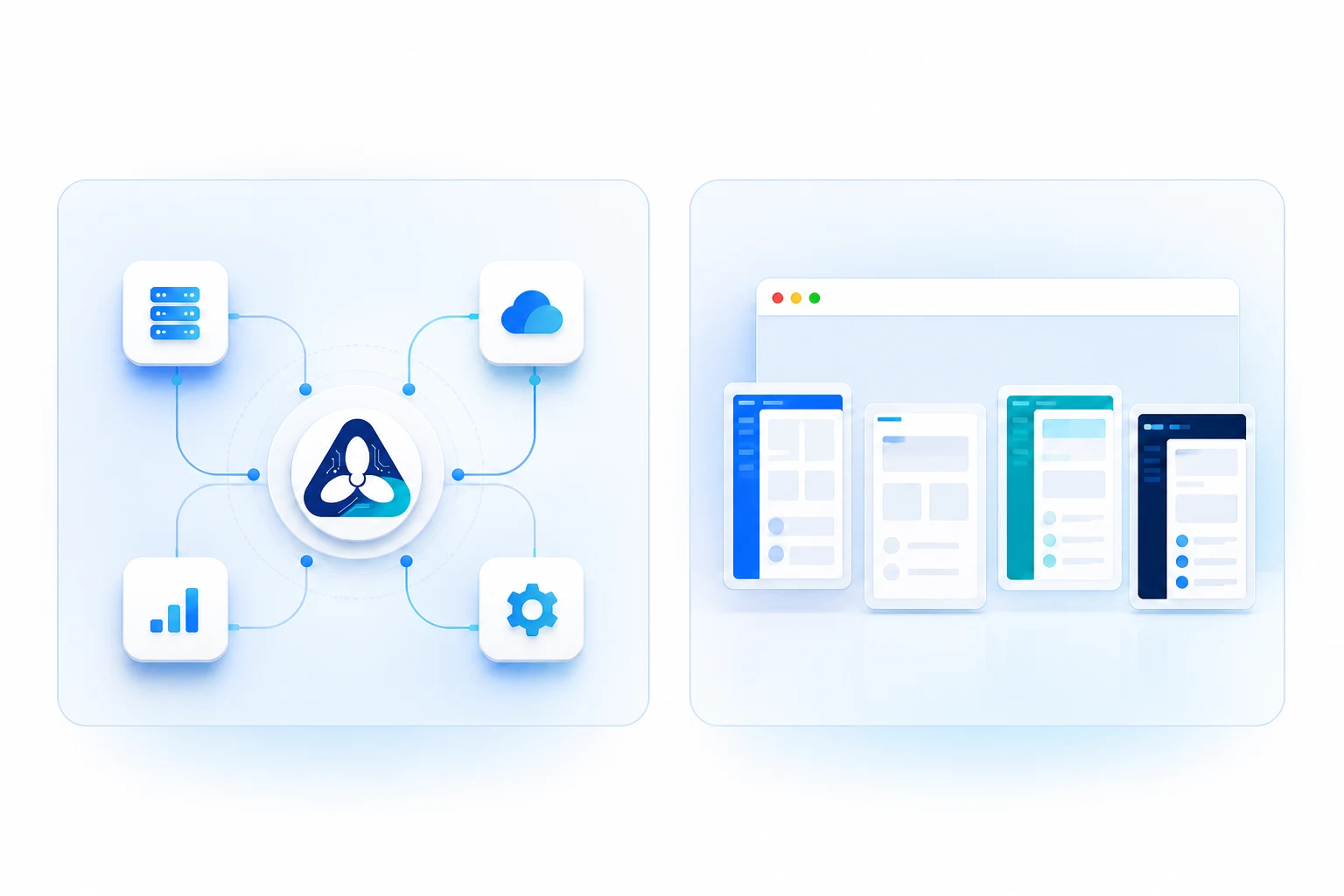
OrchLink modular integration and connected systems illustration

Open architecture

Modular integration

Connect channels, customer data and business systems through standard interfaces, reducing the complexity of third-party integration and custom development.

Brand experience

OEM brand customization

Configure the logo, theme colors, dedicated domain and client interface around your brand for a consistent customer experience.
Data security

Keep enterprise data under your control

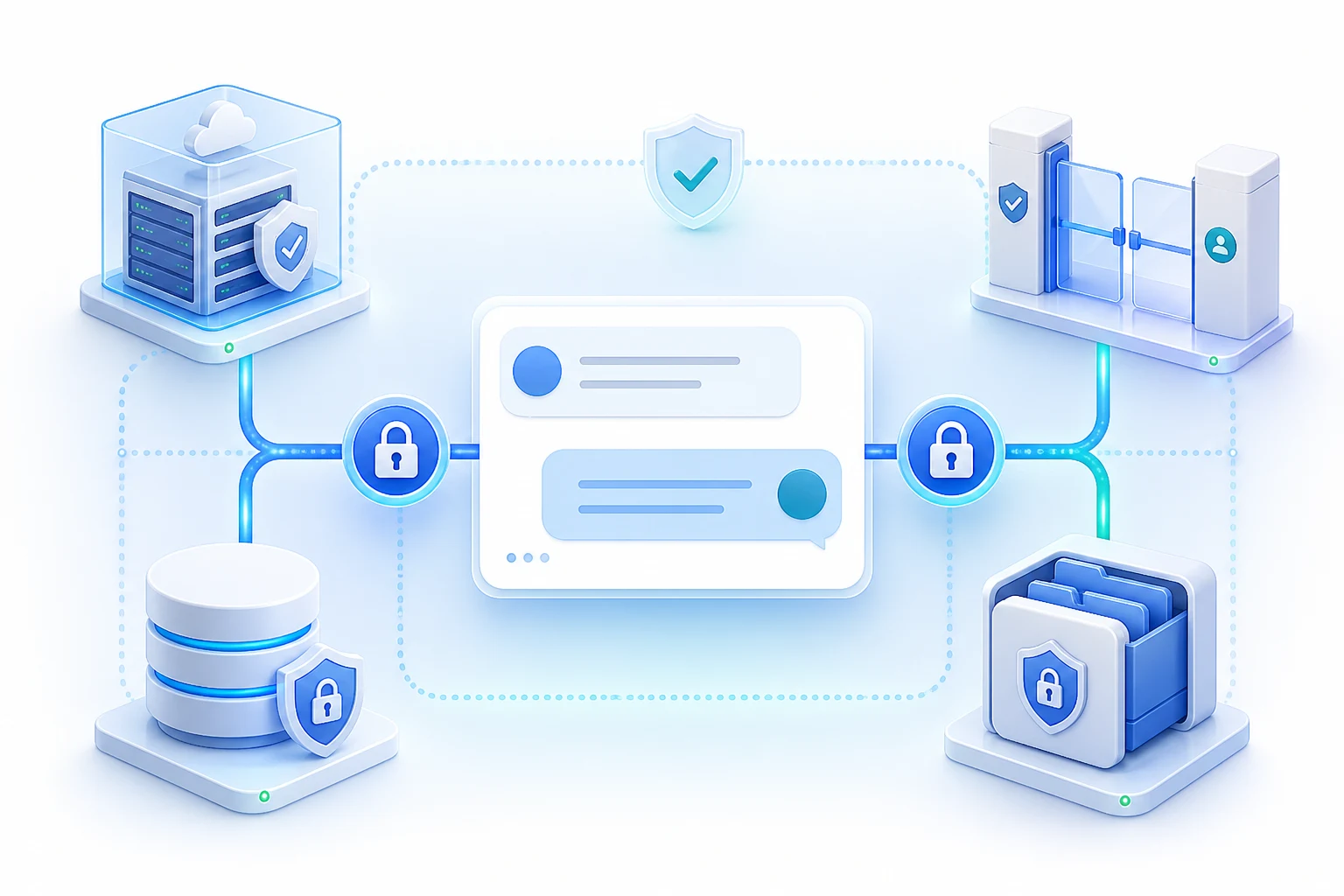
Deployment boundaries, access scope, transport and storage can be configured around enterprise security requirements.

Private deployment

Deploy in an enterprise-owned or designated environment to support internal data-governance requirements.

IP access restrictions

Allow only approved IP ranges and block unauthorized network access to the workspace.

Encrypted communication

Encrypt messages and documents in transit to reduce exposure of sensitive information.

Encrypted message and file storage

Protect conversations, database messages and server-side files with encryption-at-rest policies.

OrchLink private deployment, access control, and encrypted message and file storage illustration

Multi-agent collaboration

Six business agents, each specialized and connected

The general assistant understands and routes each request while specialist agents handle the business details. Customers never need to figure out who to ask.

Agent 01

Product Advisor Agent

Handles product details, usage, comparisons and availability, clarifying missing needs before answering from approved information.

Agent 02

Size Advisor Agent

Uses measurements, usual size and fit preferences with brand sizing information to provide a practical recommendation range.

Agent 03

Promotion Agent

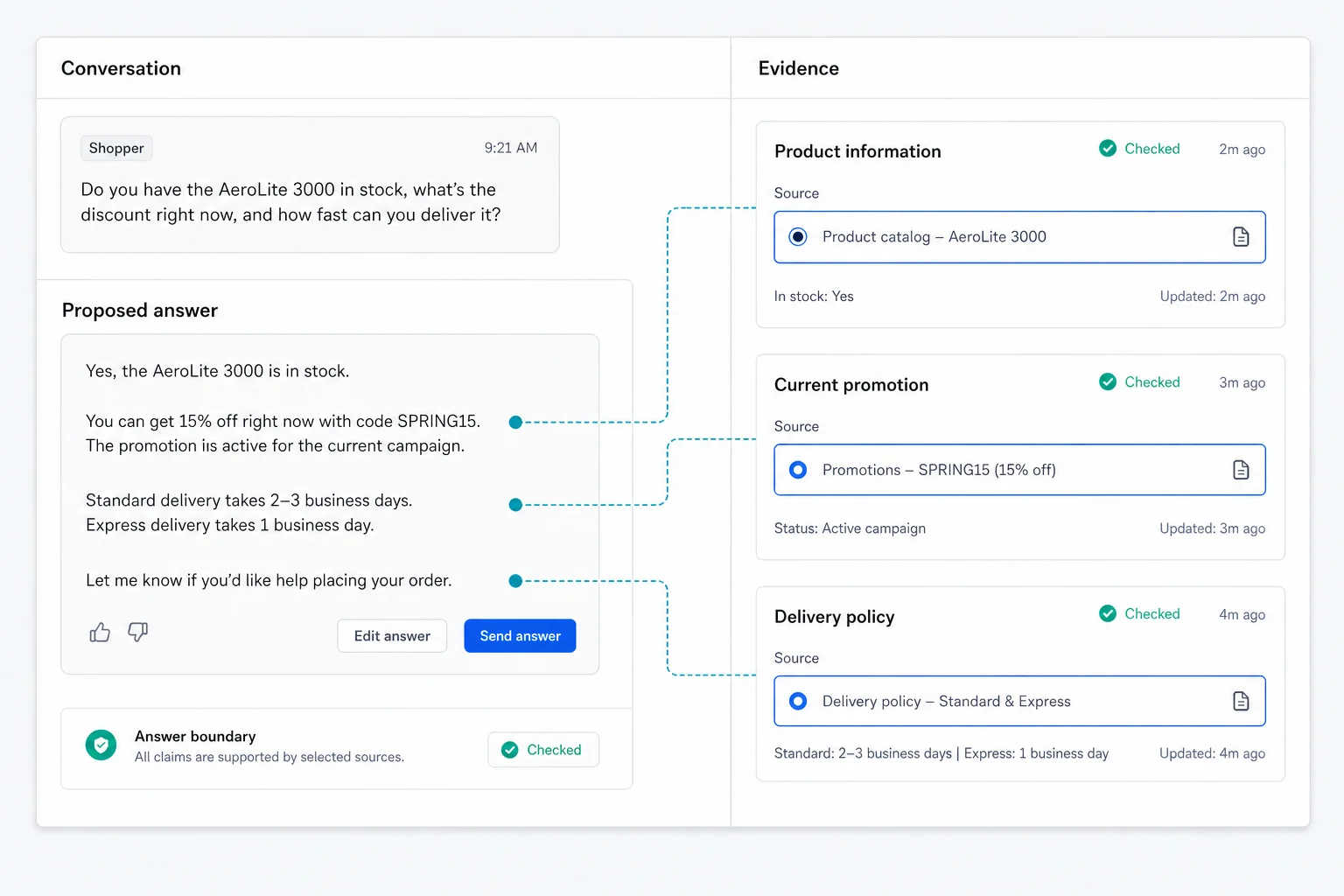
Checks current promotions, gifts and discount rules against the latest business information, handing off uncertainty instead of guessing.

Agent 04

Service Policy Agent

Explains guarantees, return policies and service boundaries with clear next steps while avoiding unsupported commitments.

Agent 05

Order & Delivery Agent

Checks orders, shipping and delivery status, asks naturally for missing details and hands exceptions to people with full context.

Agent 06

Safety & Risk Agent

Detects sensitive, non-compliant and high-risk content, applies safety policies first and routes complaints or risk cases to the right team.

These built-in agents cover retail and customer-service workflows; other industries can extend them with their own knowledge, processes and system integrations.

Save time without giving up answer quality

Grounded in business data, clear about uncertainty, and ready to hand off when people are needed

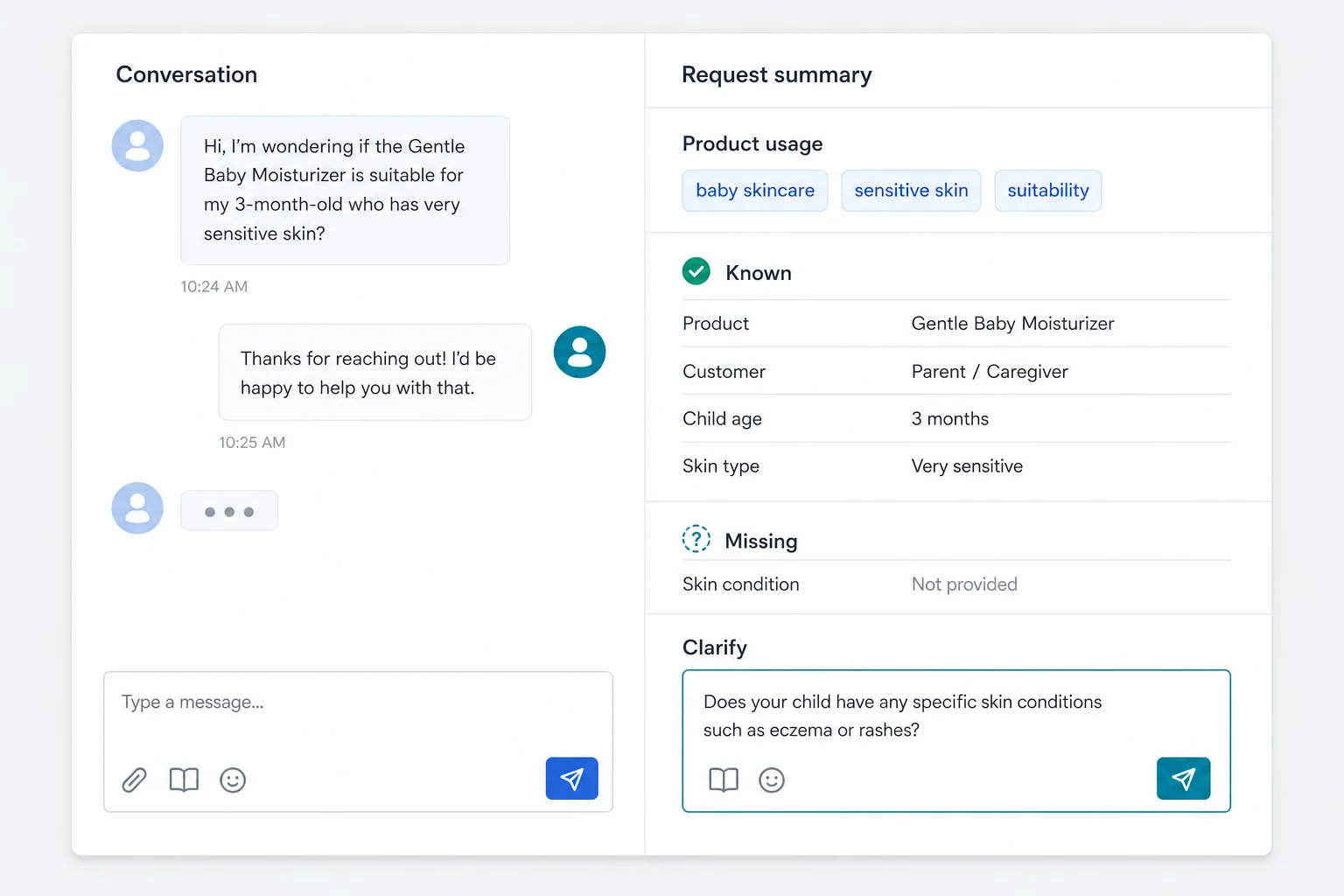
Product UI concept

Understand what customers need

Understand what customers need

Fewer back-and-forth questions

Understand what customers need

Recognizes intent, language and urgency, then asks only for the information required to move the conversation forward.

Product UI concept

Know when not to answer alone

Know when not to answer alone

Boundaries + human handoff

Know when not to answer alone

When a request is uncertain, risky or needs human judgment, OrchLink stops guessing and passes the conversation context to your team.

Product UI concept

Find answers in real business data

Find answers in real business data

Knowledge · service policies · customer context

Find answers in real business data

Checks approved information in your existing systems before replying, reducing manual lookup and preventing unsupported answers.

Launch online service from one channel

Connect knowledge and your team, validate the experience, then expand channels and automation

STEP 01

Choose the first channel

Start with your website or most-used customer channel and define clear service and human boundaries.

STEP 02

Connect business knowledge

Add product documentation, FAQs and service policies so AI can answer from approved information.

STEP 03

Test with real conversations

Validate answers, clarification and handoff rules against historical and typical questions.

STEP 04

Launch, learn and expand

Run in a limited scope first, then add scenarios, channels and automation based on results.

Integrations

Connect the systems you already use

Bring customer messages and business information together through web widgets and APIs — without rebuilding your service stack for AI

Shopify
TikTok Shop
WhatsApp
Instagram
LINE
Stripe
Alipay
Google Ads
HubSpot
Intercom
Shopify
TikTok Shop
WhatsApp
Instagram
LINE
Stripe
Alipay
Google Ads
HubSpot
Intercom
WooCommerce
Shopee
Messenger
WeChat
Telegram
PayPal
Klarna
Meta
Zendesk
WooCommerce
Shopee
Messenger
WeChat
Telegram
PayPal
Klarna
Meta
Zendesk

Examples of common tool categories that can be evaluated for integration; exact scope and method are confirmed per project

OrchLink apps

Work efficiently on every major platform

Keep conversations, customer context and team collaboration in sync across mobile and desktop. Choose your platform and serve customers wherever work happens.

Installer and app-store links will open with the official release. Contact us to request an early test build.

Control and trust

Automation should not mean losing control

Limit the first use case and data scope, review real conversations, and expand only when the result is ready.

01

Use approved business information

Answers rely on knowledge, service policies and business data authorized for the project.

02

Stop guessing when uncertain

Clarify missing facts and hand off requests outside the agreed boundary.

03

Preserve conversation context

People can take over without asking customers to repeat what they already shared.

04

Validate in a limited scope

Test one frequent topic first, review the outcome, then expand automation.

FAQ

Which questions should we automate first? +

Start with one frequent, well-defined topic on your website or busiest customer channel — ideally the one consuming the most team time.

What happens when the AI is uncertain? +

It asks for missing information, and stops guessing when a request is risky, out of scope or needs human judgment. The conversation context can then be handed to your team.

Can it connect to our existing channels and business systems? +

It can use web widgets and existing APIs for customer messages, knowledge and business information. Exact support, implementation effort and rollout are confirmed during the demo and project assessment.

Do we need to replace our current support system? +

No. Start with a limited use case while keeping your current human workflow, validate the result, and expand only when it makes sense.

Which languages does OrchLink support? +

The AI can understand and generate multiple languages. The current site and priority experience are optimized for English and Chinese; additional languages are validated for terminology, business rules and service quality before each market rollout.

See how much repetitive support time your team can get back

Bring one time-consuming customer question and we will tailor the demo to your workflow.

Book a demo